Run & View Workflows from AI Tools
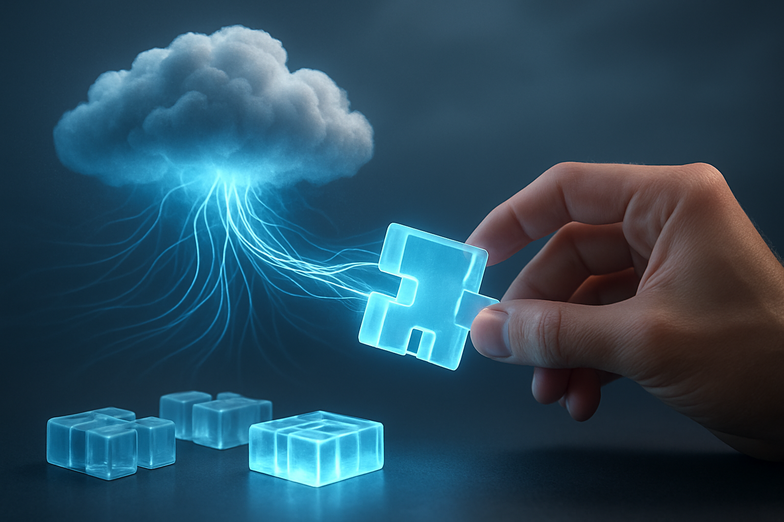
Run and View Workflows from AI Tools
I’ll be straight with you, this is one of those updates that quietly changes how you build things. n8n’s new instance-level MCP integration lets you surface, run, and even debug your n8n workflows right from AI tools like ChatGPT, Claude, and Lovable. I watched the demo and thought, finally, less back-and-forth, more getting stuff done.
Here’s the core idea, simply put. Instead of hopping between n8n and your AI app, you connect n8n at the instance level, then the AI can call workflows as tools. That means you can execute automations, search available workflows, and inspect runs inside the AI interface, which feels a lot like having a mini control center where you already work.
A bit of background, because context matters. n8n has long aimed to make automation accessible. This step brings workflows into conversational AI environments, bridging automation and generative interfaces. The video shows compatible trigger nodes, how to enable the feature, connection examples, and even live debugging. There’s a neat demo with Lovable too, where Lovable acts as a front-end for n8n, making simple UIs without you building one from scratch.
Practical stuff you’ll want to know: the feature’s available on n8n cloud, self-hosted, enterprise, and community editions, but you’ll need n8n version 1.121.2 or higher. Enable it, connect your instance, and you can call workflows from prompts, check status, and troubleshoot failures, all in one place.
I’m excited because this lowers the barrier for non-developers to use complex automations, while letting power users iterate faster. Expect more front-ends, smarter tooling, and fewer context switches. Want to see it in action? Watch the demo here: https://youtu.be/JihC9nR_DqQ?si=1Q1u6VonJHJj80qs
—
Führen und Ansehen von Workflows direkt aus AI-Tools
Diese Neuerung ist ehrlich gesagt eine, die das Arbeiten erleichtert. Mit der neuen instance-level MCP-Integration in n8n kannst du Workflows direkt aus AI-Tools wie ChatGPT, Claude oder Lovable ausführen, anzeigen und durchsuchen. Ich habe mir das Video angesehen und dachte sofort, das spart so viel Hin und Her.
Kurz und knapp, wie es funktioniert. Du verbindest n8n auf Instanz-Ebene, dann sehen AI-Anwendungen deine Workflows als Tools. Dadurch lässt sich eine Automation starten, der Status prüfen oder ein Run debuggen, ohne die AI-Oberfläche zu verlassen. Ziemlich praktisch, wenn du oft zwischen vielen Tools wechselst.
Ein paar wichtige Fakten, damit du loslegen kannst. Die Funktion ist verfügbar für n8n cloud, self-hosted, enterprise und community Edition, du brauchst mindestens Version 1.121.2. Im Video werden kompatible Trigger-Nodes gezeigt, wie man das Feature aktiviert, Beispiel-Verbindungen und eine Debug-Demo. Besonders interessant ist die Lovable-Integration, die schnell einfache Front-Ends für n8n erstellt, ohne dass du viel bauen musst.
Warum das zählt? Weil es nicht nur Entwicklern hilft, sondern auch Teams, die Automationen nutzen wollen, ohne tief in technische Details einzusteigen. Weniger Kontextwechsel, schnellere Iteration, klarere Fehlerbehebung. Wenn du neugierig bist und sehen willst, wie das konkret aussieht, schau dir das Demo-Video an: https://youtu.be/JihC9nR_DqQ?si=1Q1u6VonJHJj80qs













Kommentar abschicken